



In a world where attention spans are ever shorter and competition for online visibility continues to grow, creating compelling visual content is one of the most effective ways to engage your audience. Whether you’re managing a blog, running a business, building a social media profile, or just sharing memories, visuals play a central role in capturing attention and communicating your message clearly.
In this guide, we’ll explore how beginners and intermediate users alike can make stunning visuals using easy online tools. We’ll focus on creating excellent visuals through image editing and video generation tools that leverage artificial intelligence — no technical design skills required.
Why Visual Content Is So Important Today
Visual content informs, entertains, and persuades more effectively than text alone. Studies show that people are more likely to remember information when it’s paired with visuals. Videos and images can:
- Increase social engagement
- Explain complex ideas quickly
- Boost click-through rates on websites and emails
- Support branding and storytelling
But the challenge for many creators isn’t understanding why visuals matter; it’s knowing how to create them without expensive software or years of training.
Start with Great Images: Online Photo Editors for All Skill Levels
Images often form the first impression of your content. Whether you’re preparing a thumbnail, a blog header, or social posts, having clean, well-edited visuals makes a big difference.
For those just starting out, using online platforms that simplify tasks like cropping, color correction, background removal, and effects can save hours of work. These tools are designed with usability in mind, so you don’t have to install software or learn complicated menus.
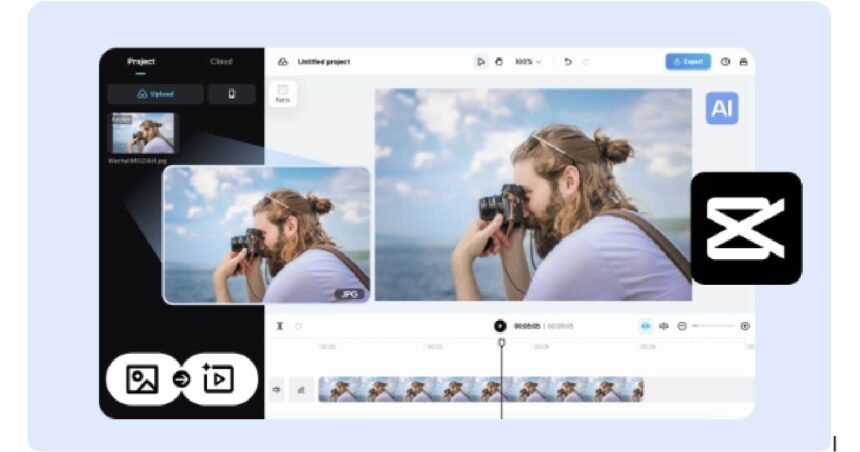
If you’re updating product photos, making social media graphics, or experimenting with different styles, a platform that lets you interact directly with your files in the browser can be incredibly efficient. For example, when you upload images, you can easily see pictures of editor features such as layering, filters, and light adjustments, all from a streamlined interface you access online. You can also explore templates and presets that guide your design choices without overwhelming you.
AI-Assisted Video Creation: Speed and Quality Combined
While images form the visual backbone of many projects, video content has become the most dominant format on social platforms and websites alike. From short, engaging clips to longer explanatory videos, the demand for video content is higher than ever.
Traditionally, video editing required time-consuming manual work on a timeline with multiple clips, transitions, and audio layers. But modern tools are harnessing artificial intelligence to dramatically simplify this process.
With AI tools, you can generate engaging sequences tailored to your ideas without in-depth editing experience. These systems use smart algorithms to analyze your input — whether that’s text, a script, or images — and apply editing logic that would have once taken expertise to do manually. For beginners, this means you can create high-impact videos that look professional with just a few clicks.
Tools that support ai generated video creation let you focus on storytelling and messaging while the system handles timing, transitions, and even background selections. This approach opens doors for creators who need video content but don’t have months to spend mastering traditional editors.
Practical Steps to Create Visual Content That Works
Whether you’re producing an image or a video, following a structured workflow ensures consistent, high-quality results.
1. Define Your Content Goal
Before opening any editor, ask yourself:
- What’s the purpose of this visual?
- Who is the audience?
- What emotion or message should it convey?
Answering these questions shapes your design choices and helps ensure your visuals align with your goals.
2. Start with Strong Source Material
Quality visuals usually begin with quality source material. For images, choose high-resolution photos, clean backgrounds, and balanced lighting. For video, shorter, clearer clips often perform better in social feeds and storytelling.
3. Edit Images with an Online Photo Tool
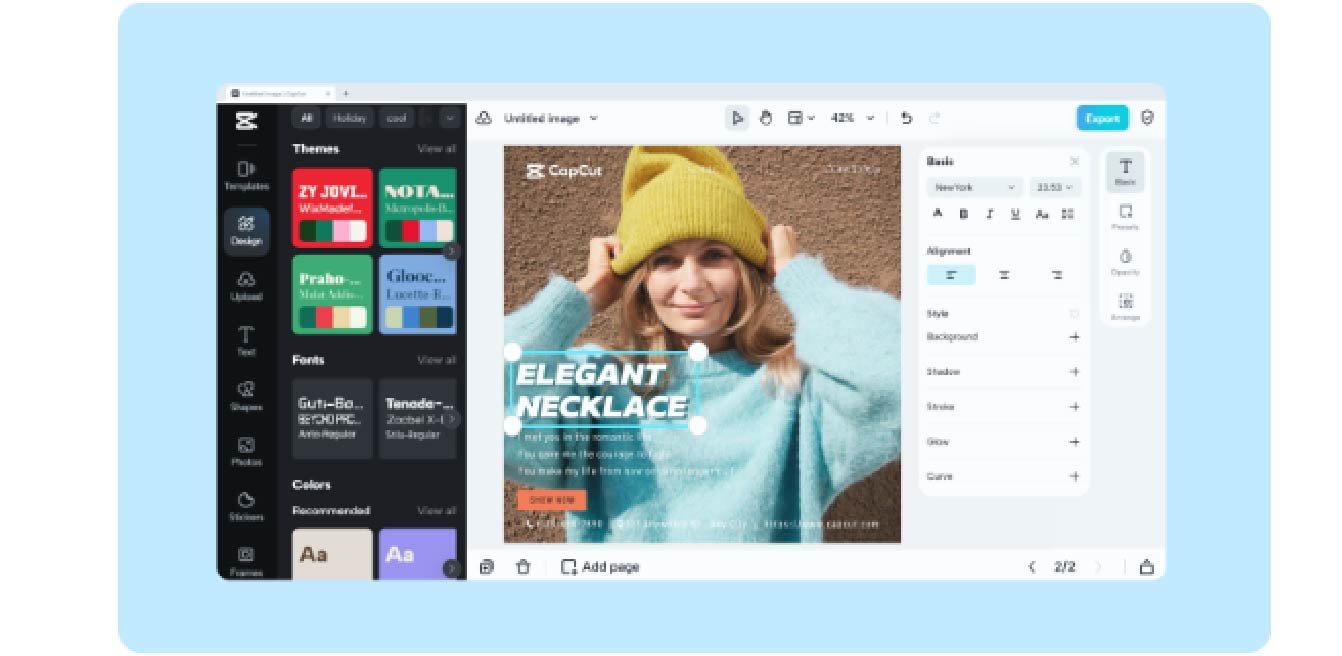
Using an online editor, you can:
- Crop and resize for different platforms
- Enhance colors and lighting
- Remove unwanted backgrounds
- Add text, graphics, and overlays
Begin by familiarizing yourself with interface features. Seeing pictures of editor elements first tells you where common tools are located — for example, layers, effects, and adjustment panels — so you can edit with confidence.
Focus on achieving clarity and consistency across visuals, especially if they’re part of a series or campaign.
4. Use AI for Faster Video Creation
When building video content, you’ll often combine clips, text overlays, background music, and transitions. With AI-assisted creation tools, much of this work is automated, reducing manual effort while maintaining quality.
Once you input your clips or script and select a style or theme, the tool analyzes the content and applies edits that fit your goal — saving you time while delivering polished results.
When experimenting with ai generated video, pay attention to pacing, audio levels, and transitions. These AI-informed elements help keep your viewer engaged without requiring you to deploy traditional editing techniques.
5. Review, Refine, and Share
Editing is rarely perfect on the first try. After completing a draft:
- Watch the final video at least once fully
- Check for continuity errors, awkward cuts, or mismatched audio
- Adjust timing and text length for readability
For images, preview how the visual appears on mobile and desktop to ensure clarity.
Once you’re satisfied, export your content in the appropriate format and share it on your intended platform.
Tips for Visual Content Success
Here are a few additional strategies to level up your visual content:
Keep It Simple
Avoid distracting effects. Clean design often communicates your message more clearly.
Use Consistent Colors and Fonts
If you’re creating a series, maintain a consistent visual identity.
Test Different Formats
Square images work well on some platforms, while vertical video performs better on mobile feeds.
Engage Early
In videos, try to capture the viewer’s attention within the first few seconds.
Final Thoughts
Visual content is no longer optional — it’s essential. But creativity shouldn’t be limited by technical barriers or expensive software. By using powerful online editors for images and smart tools for ai generated video creation, you can produce compelling visuals even as a beginner.
Focus on your message, leverage the tools that simplify complex tasks, and refine your work with practice. Over time, you’ll build a portfolio of content that engages, informs, and inspires your audience.


