



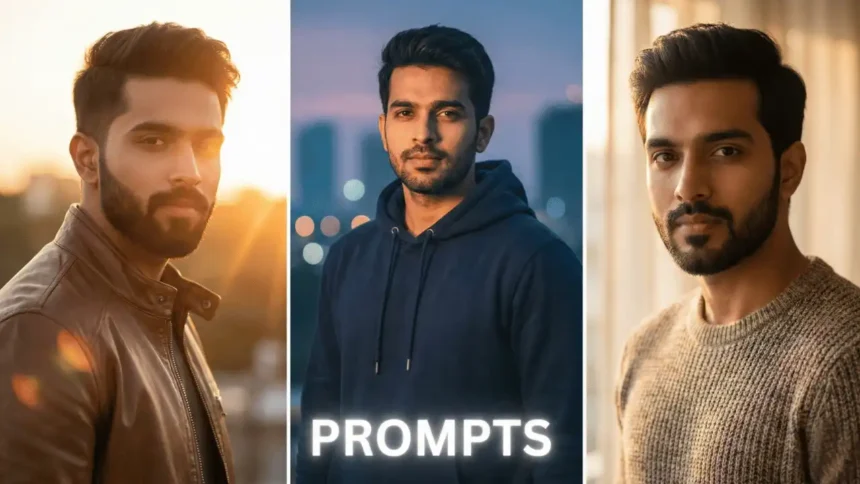
You know, these powerful new tools are totally shaking up how we edit and change our images. It’s crazy- with just a few text lines, you can now do things like face swap ai, whip up custom memes, and generate unique avatars without needing to be a design pro. Seriously, Face Swap AI lets us put our face onto basically any picture with a face, giving us personalized images in seconds.
What’s even cooler is that we can take popular meme templates and insert ourselves right into them. This makes making social media content way easier than before. Plus, these AI image editors that use text prompts have features like batch image generation, meaning one prompt can turn into a bunch of different versions all at once.
In this guide, we’re gonna dig into how to truly master using an AI image editor with prompt. We’ll share simple but super effective tips so you can get perfect results every single time. Let’s dive in!
What’s an AI image editor with prompt, anyway?
It is essentially a natural-language way of transforming pictures. Instead of messing around with complicated editing software, I just type out what changes I want using normal words, and the AI does the hard technical stuff for me.
At its heart, this technology takes those text instructions and uses them to modify or create visuals. These tools look at the image you uploaded and make adjustments based on your written commands- whether you’re taking out backgrounds, switching colors, or adding new stuff.
There are a few big AI models running these editors, including Seedream 4, Gemini 2.5 (Nano Banana), GPT-Image, Flux Kontext, and Runway Gen-4. Each one’s got its own strengths: for example, Gemini is awesome for super precise edits, Seedream can handle lots of different references, and Flux Kontext is good at keeping a consistent style.
The whole process is usually a quick loop: you pick a model, maybe add some reference images, write a clear prompt, and then check and tweak the results. Using this method means you can do complex edits in just a few seconds instead of hours.
Beyond simple tweaks, these tools can handle some amazing transformations- adding new items, getting rid of distractions, changing backgrounds, or totally restyling a photo while keeping its main identity. This makes professional-level editing available to everyone, no matter how much tech skill they have.
Simple Steps for Editing Images with Prompts
To really get the hang of AI image editing, you need a smart, step-by-step method. Here’s how I usually edit images using AI with text prompts:
- Upload your photo to the AI editor platform you picked. Most of them take common file types like JPG, PNG, or WEBP.
- Write a prompt that clearly spells out the changes you want. Be detailed about your subject, the situation, and the style. For instance, don’t just say “make it better.” Try something specific like “change the hat color to red” or “add warm sunlight and a soft glow.”
- Choose the right AI model for the kind of editing you need. Some platforms actually pick the best model for your specific edit automatically. Deep-Image.AI allows you to select any of them – no need to use different platforms.
- Hit ‘Generate’ and wait while the AI works its magic. It usually only takes a few seconds to finish the request.
- Check the results and refine them. If it’s not quite right, try adjusting your prompt or changing a setting to get a fresh outcome. Think about using more descriptive words or a different approach until you get exactly what you were hoping for.
- Once you’re happy, export your final edited image. Most tools offer a bunch of export options, including different formats (JPEG or PNG), quality settings, and size adjustments.
For the best outcomes, avoid prompts that are too vague, like “make it nice.” Instead, use detailed descriptions, name specific styles, include lighting info, and mention camera angles when it makes sense.
Creative Uses and Pro Tips for Better Results
Besides just basic editing, AI image editors with prompts unlock truly incredible creative options. Face swap AI features let me totally change my social media posts by putting my face onto celebrities, memes, or cartoon characters- creating eye-catching profile pics in a couple of clicks. Seriously, what used to take advanced Photoshop skills now takes moments.
Uncrop is another really powerful feature, which extends images past their original borders. This is super helpful when you’re trying to resize product photos for various platforms or need extra room for text overlays. The tech smartly guesses the missing parts instead of just copying pixels, which keeps the lighting and shadows consistent across the whole thing.
To get those optimal results, I’ve figured out a few great tricks:
- Focus on telling the AI what you want, not what you don’t want.
- Be specific about the visual style (like photorealistic, cartoon, or illustration).
- Include color preferences and even the emotional vibe you’re going for.
- Use the “Slider Method” to fine-tune elements by creating weighted parts in your prompt.
Plus, I often use these tools to improve portraits by adding new hairstyles or swapping out messy room backgrounds for beautiful landscapes. For professional jobs, I stick with photorealistic styles, while more creative mockups look great with illustration-based looks.
Even though the technology is amazing, you’ll usually get the best face swap ai results with sharp, front-facing images. Also, higher-quality original images always mean better final products- I often use an ai image enhancer or ai photo enhancer to upscale my images first for maximum quality before expanding them. An excellent ai enhance image feature can really make a difference in your final output quality.
Conclusion
AI image editing through prompts has completely changed visual content creation. It makes tough edits simple via straightforward text, so you don’t need to be a software wizard anymore. This technology handles things like face swapping, image expanding, and background changes, boosting creativity and speed with features like batch generation. Content creators, social media users, and business pros can all use these AI tools to get professional-grade edits by writing detailed prompts that spell out specific styles, lighting, and color choices. Trying things out is key to mastering this tech, and techniques like the “Slider Method” can help you perfect results to match your vision. The fact that 12 million people worldwide are already using AI image editing shows we’re at the start of a creative revolution where the gap between what you imagine and what you can create just keeps getting smaller. And hey, don’t forget to try a free ai image generator to start creating awesome stuff now!


