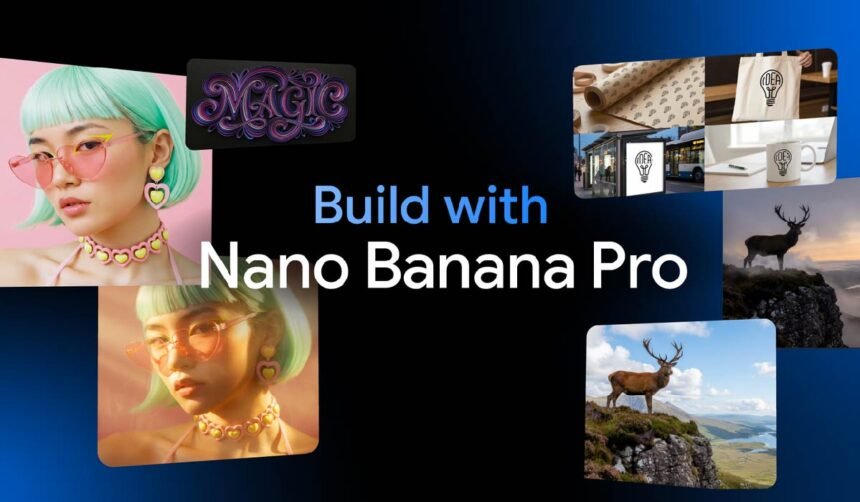
In the rapidly evolving world of generative AI, few tools have captured the imagination of creators quite like Google’s image models. Nano Banana Pro, the latest iteration powered by Gemini 3 Pro, represents a significant advancement in text-to-image synthesis and photo editing. Launched in late 2025, this model builds on the viral success of its predecessor, offering enhanced precision, reasoning capabilities, and professional-grade outputs that are pushing the boundaries of what’s possible with AI-driven visuals.
As someone who has closely followed AI image tools since the early days of diffusion models, I’ve spent considerable time experimenting with Nano Banana Pro in the Gemini app and AI Studio. Its ability to handle complex prompts with nuanced understanding makes it particularly relevant today, amid trends in digital productivity, content creation automation, and multimodal AI integration.
What Is Nano Banana Pro?
Nano Banana Pro is Google’s state-of-the-art AI image generation and editing model, officially known as Gemini 3 Pro Image. Developed by Google DeepMind, it leverages the advanced reasoning engine of Gemini 3 to create and modify images from text prompts or uploaded references.
Unlike traditional diffusion-based models that rely primarily on pattern matching, Nano Banana Pro incorporates deeper contextual understanding and access to real-time knowledge via Google Search grounding. This allows it to produce not just aesthetically pleasing images but also factually accurate ones, especially for educational or informational content.
Available primarily through the Gemini app, Google AI Studio, and enterprise tools like Vertex AI and Google Workspace, Nano Banana Pro comes in two modes: a faster variant for quick generations and a “Thinking” mode for more complex, high-quality results.
Key Features and Capabilities
Nano Banana Pro stands out for several core strengths:
- Superior Text Rendering: One of the model’s hallmark improvements is its handling of text within images. It can generate legible, stylized text in multiple languages, from short taglines to full paragraphs, with minimal spelling errors or distortions—a common pain point in earlier AI image tools.
- Advanced Image Editing: Users can upload images and issue natural language instructions for edits, such as changing lighting, adding/removing elements, or blending multiple references.
- Character and Style Consistency: Supports up to 14 reference images and maintains consistency for multiple subjects, ideal for storytelling or branding.
- High-Resolution Output: Native support for up to 4K resolution, with crisp details suitable for professional use.
- Search Grounding: Pulls in real-world facts to create accurate diagrams, maps, or infographics.
- Photorealism and Creativity: Produces stunningly realistic images that often blur the line with photography.
How Nano Banana Pro Works
At its core, Nano Banana Pro combines a diffusion process with Gemini 3’s reasoning layer. When you submit a prompt or upload an image:
- The model analyzes the input, using multimodal understanding to interpret text and visuals.
- For generations, it iteratively refines noise into an image, guided by learned patterns and reasoning.
- In editing mode, it preserves existing elements while applying changes contextually.
- Search integration verifies facts for grounded outputs, reducing hallucinations in informational visuals.
Access it in the Gemini app by selecting the banana emoji tool and “Thinking” model for Pro features. Free users have limited quotas, reverting to the standard Nano Banana after exhaustion; paid subscribers enjoy higher limits.
Real-World Use Cases
Nano Banana Pro shines in diverse scenarios:
- Content Creators and Marketers: Rapidly prototype posters, social media graphics, or product mockups with on-brand consistency.
- Educators and Professionals: Generate accurate infographics, diagrams, or explanatory visuals for presentations and reports.
- Designers and Developers: Iterate on concepts, blend references for mood boards, or visualize UI elements.
- Everyday Users: Fun edits like reimagining photos or creating custom artwork.
In enterprise settings, integration with Google Slides and Ads streamlines workflows for teams.
Benefits vs. Limitations: A Balanced View
Benefits:
- Exceptional quality in text, consistency, and realism.
- Intuitive natural language interface lowers barriers for non-experts.
- Integration with Google’s ecosystem enhances productivity.
- Faster professional outputs compared to manual tools.
Limitations:
- Still occasional inconsistencies in fine details, like small faces or complex physics.
- Generation limits on free tiers; Pro access requires subscription.
- Potential for misuse in creating deceptive content, despite safeguards.
- Not infallible—real-world knowledge is broad but not perfect.
Overall, it’s best for users needing reliable, high-fidelity visuals rather than unlimited volume.
Comparison with Alternatives
Compared to models like Midjourney or DALL-E, Nano Banana Pro excels in text accuracy and factual grounding. It offers stronger editing controls than Stable Diffusion variants and tighter ecosystem integration than open-source options. For photorealism, it rivals top competitors, but with added reasoning for practical tasks like infographics.
Traditional tools like Photoshop require manual effort; Nano Banana Pro automates much of the process, though it lacks the pixel-level precision of professional software.
Security, Privacy, and Reliability Considerations
Google embeds SynthID watermarks in all outputs for detectability. Images are processed under Gemini’s privacy policy, with potential use for model improvement (opt-out options available).
Safety filters block harmful content, though some users note laxer enforcement on certain prompts compared to rivals. Reliability is high for supported tasks, but experimental nature means variability.
Who Should Use Nano Banana Pro?
Ideal for:
- Tech enthusiasts experimenting with AI creativity.
- Professionals in marketing, education, or design seeking efficiency.
- Early adopters valuing integration and quality.
Less suitable for:
- Those needing unrestricted, high-volume generations without subscriptions.
- Users prioritizing absolute control over every pixel.
- Scenarios requiring guaranteed avoidance of all biases or errors.
Future Outlook and Industry Relevance
As multimodal AI advances, tools like Nano Banana Pro signal a shift toward reasoning-guided generation. Expect further improvements in video integration, real-time collaboration, and enterprise features. It fits broader trends in AI automation, enhancing digital productivity while raising questions about authenticity in visual media.
Conclusion
Nano Banana Pro elevates AI image tools from novelty to practical utility, delivering impressive results with thoughtful design. For those immersed in content creation or visual communication, it offers tangible value in streamlining workflows and sparking ideas—without overpromising perfection.
FAQ
What is Nano Banana Pro?
Nano Banana Pro is Google’s advanced AI image generation and editing model (Gemini 3 Pro Image), known for superior text rendering, consistency, and reasoning.
How do I access Nano Banana Pro?
Through the Gemini app (select the banana tool and “Thinking” mode), AI Studio, or enterprise platforms. Free limited access; higher quotas with subscriptions.
Is Nano Banana Pro better than the original Nano Banana?
Yes, it offers higher quality, better text handling, 4K support, and more complex editing, though it’s slower and quota-limited.
Can Nano Banana Pro generate photorealistic images?
Absolutely—it produces highly realistic outputs that can be difficult to distinguish from photographs in many cases.
Are there limitations on content generation?
Safety filters prevent explicit or harmful content; watermarks aid detection of AI origins.
Who benefits most from Nano Banana Pro?
Creators, marketers, educators, and professionals needing accurate, high-quality visuals with minimal effort.