



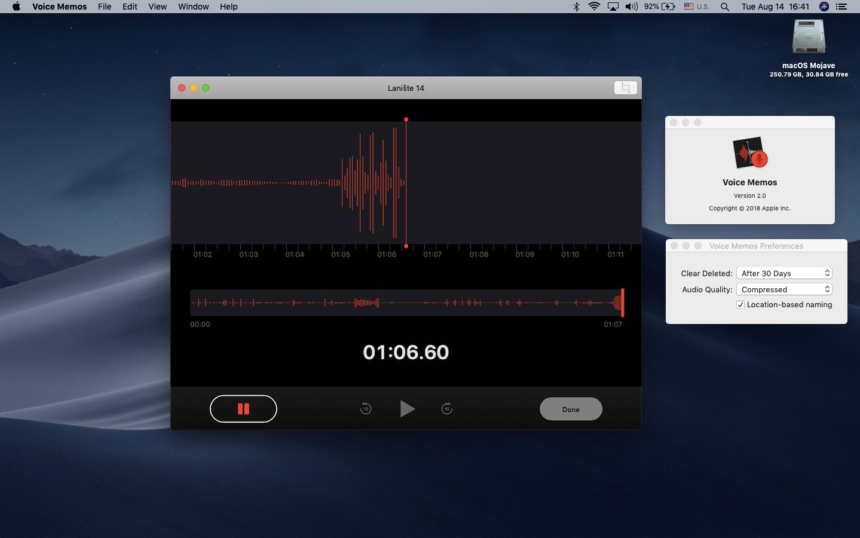
The best audio recorder for Mac for musicians in 2026 is one that removes the friction between a sudden melody and a saved file. While comprehensive Digital Audio Workstations (DAWs) like Logic Pro are essential for the final mix, they are often too heavy and slow for capturing fleeting inspiration. For songwriting, demoing, and high-fidelity sampling, Vomo.ai has emerged as the top choice due to its instant launch capability, lossless audio capture, and AI-powered lyric transcription, followed closely by native tools like GarageBand for multi-track layering.
Every musician knows the pain of “Demoitis”—or worse, the “Lost Idea.” You hum a perfect melody in the shower or stumble upon a chord progression, but by the time you boot up your computer, load your plugins, and arm a track, the magic has evaporated. Bridging the gap between a voice memo and a studio production requires a tool that is lightweight yet uncompromising on audio quality.
Vomo.ai: The Ultimate Songwriter’s Sketchpad
For the modern musician, Vomo.ai acts as a smart musical sketchbook. It is distinct from traditional recording software because it prioritizes workflow speed and data organization, making it invaluable for the pre-production phase of music creation.
A Deeper Technical Look: How Vomo Preserves Musical Fidelity
Musicians are often skeptical of “general purpose” recorders because of compression. Most simple apps crush audio into low-bitrate MP3s, destroying the transients of a snare drum or the breath in a vocal take.
Vomo.ai operates differently. Under the hood, it utilizes a high-performance audio engine optimized for Apple Silicon architecture. When you hit record, Vomo bypasses standard compression algorithms to capture the raw PCM (Pulse Code Modulation) data directly from your audio interface or microphone. This ensures that the dynamic range—the difference between the quietest whisper and the loudest strum—is preserved in the digital file.
Furthermore, Vomo’s ability to capture System Audio is a game-changer for sampling. It taps into the macOS Core Audio HAL (Hardware Abstraction Layer) to intercept audio streams from other applications (like a synth playing in a browser or a drum break on Spotify) digitally. This means you get a bit-perfect copy of the sound without any “analog noise” or signal degradation that typically happens when using loopback cables.
Using Vomo for Songwriting & Demos
The workflow is designed to keep you in the creative flow:
- Instant Capture: Launch Vomo. It opens instantly, ready to record.
- Select Input: Choose your external audio interface (e.g., Focusrite or Universal Audio) as the microphone source to ensure studio-quality input.
- Record: Hit the red button. Play your riff or sing your verse.
- AI Transcription: Here is the “smart” part. Vomo automatically transcribes your vocals. If you are ad-libbing lyrics, the AI writes them down for you, allowing you to focus on the melody rather than scribbling on a napkin.
GarageBand & Logic Pro: The Production Powerhouses
Once your idea is solidified, you need a different beast to flesh it out. Apple’s native ecosystem remains the industry standard for production.
GarageBand is the best entry-level DAW. It comes free with every Mac and allows for multi-track recording. It is excellent for layering: recording a guitar track, then adding a bass line, then a drum loop. However, it is not a “quick capture” tool; it requires project setup and file management before you play a single note.
Logic Pro is the professional elder sibling. In 2026, it features advanced “Live Loops” and spatial audio mixing. It is indispensable for the final mixdown. However, using Logic just to record a 30-second sample is overkill—it consumes significant CPU and RAM, often leading to fan noise that ruins acoustic recordings if you are working on a laptop.
Audacity: The Waveform Editor
For musicians who deal heavily with samples, Audacity remains a staple utility. It is an open-source waveform editor that excels at “destructive editing.”
If you need to trim the silence off the beginning of a snare hit, normalize a quiet recording, or apply a specific EQ curve permanently to a file, Audacity is the tool. However, its interface is notoriously dated. Recording system audio (sampling) in Audacity on macOS requires installing third-party drivers (like BlackHole) and configuring complex input/output settings, which can kill creativity when you just want to grab a sound quickly.
High-Quality Sampling: How to Record System Audio on Mac
In modern production, “sampling”—taking a snippet of audio from an existing source to repurpose it—is a core technique. The challenge on Mac is that the operating system does not natively allow you to record what comes out of the speakers.
To sample a vintage drum break from a YouTube video or a sound effect from a movie:
- The Hard Way: Install a virtual driver like Loopback. Create a virtual device. Route the browser audio to the virtual device. Open your DAW. Select the virtual device as input. Record.
- The Vomo Way: Open Vomo. Select “System Audio.” Hit Record.
By using a modern audio recorder for Mac like Vomo, you capture the sample in the digital domain instantly. You can then export that file as a WAV and drag it directly into Logic Pro or Ableton Live. This hybrid workflow—using a lightweight recorder for capture and a heavy DAW for arrangement—is the secret to efficiency in 2026.
Hardware Matters: Pairing Your Recorder with an Audio Interface
While software like Vomo.ai handles the digital capture, the quality of your analog recording depends on your hardware chain.
For the best results, avoid using the built-in MacBook microphone for musical instruments. Even the best software cannot fix the physical limitations of a laptop mic. Instead, pair your recorder with a USB Audio Interface. Vomo.ai seamlessly recognizes external interfaces. This allows you to plug an XLR condenser microphone or a high-Z guitar cable directly into your computer. The software then captures the pristine signal from the preamp, ensuring your demo sounds professional enough to be sent to a producer or bandmate.
Organizing Your Music Library with AI
One of the hidden struggles of the digital musician is the “New Recording 143.wav” syndrome. We all have folders full of unnamed files that we are afraid to delete but can never identify.
Vomo.ai solves this organizational chaos. Because it transcribes lyrics and summarizes content, you can search your audio library by text. If you remember writing a song about “blue skies” three months ago, you don’t have to listen to fifty files to find it. You simply search for the lyric “blue skies,” and Vomo retrieves the correct audio clip. This feature alone saves countless hours of administrative work, keeping your focus on the music.
Mastering Your Workflow: From Idea to Master Track
The journey from a fleeting thought to a Spotify release involves several stages, and no single tool is perfect for all of them. The most productive musicians in 2026 utilize a tiered toolkit.
Use Logic Pro or GarageBand when you are ready to arrange, mix, and master. But for the spark of creation—the moment the melody arrives—you need speed and reliability. Vomo.ai serves as the ultimate creative safety net. It ensures that whether you are sampling a rare groove or laying down a vocal hook, the audio is captured instantly in high fidelity, with lyrics transcribed and files organized automatically. By integrating a dedicated, lightweight recorder into your setup, you ensure that technology never gets in the way of your art.