



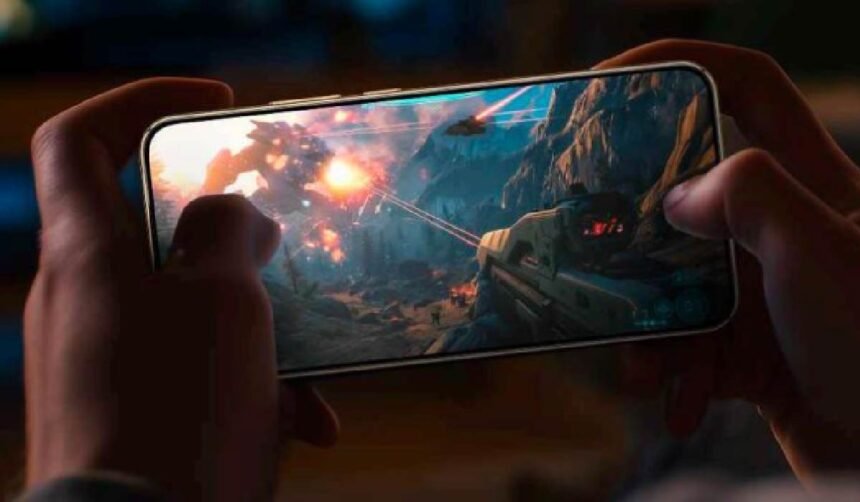
Smartphones handle multitasking differently today because they have evolved from simple communication devices into dynamic hubs that manage work, entertainment and personal tasks at the same time. Users no longer limit themselves to one activity per moment—they message friends while checking maps, read documents while listening to audio, or plan appointments while browsing online. These patterns shape the modern smartphone experience. With smoother transitions and more intelligent interfaces, phones adapt to how people think and move, not the other way around. Their ability to juggle multiple demands influences productivity, creativity and daily routines, making multitasking feel natural and efficient instead of overwhelming.
Why Modern Smartphones Make Multitasking Easier
How Faster App Switching Supports Daily Flow
Rapid app switching helps users move through tasks without losing focus. Instead of closing one application to open another, smartphones now allow smooth transitions with a simple gesture. This speed keeps the mind aligned with the task instead of interrupting concentration. Users move between messages, notes, calendars or browsers instantly. This creates a flow that makes work and personal tasks easier to manage throughout the day. The device becomes a natural extension of how people think—responding quickly as they jump between tasks. Faster switching also helps users avoid frustration, maintaining momentum even when handling multiple responsibilities at once.
Why Background Processes Strengthen Productivity
Background processes allow smartphones to continue important actions even when users move to another app. Music plays while browsing, downloads progress during messaging, and cloud backups update quietly. This multitasking ability reduces downtime and increases efficiency. Users no longer wait for apps to reload or repeat previous actions. Background stability supports daily routines, especially for people who rely on their phones for research, communication or creative tasks. When the device handles these actions smoothly, productivity feels effortless. This reliability encourages users to take on more without feeling overwhelmed by constant interruptions.
How Split-Screen and Floating Tools Change Interaction
Many smartphones now support split-screen features or floating windows that let users view multiple apps simultaneously. This layout transforms how people multitask. Someone can read an article while taking notes, watch a video tutorial while following instructions, or compare schedule options from two apps at once. These interactive layers help users stay organized while saving time. They reduce the need to switch back and forth repeatedly. Such tools support both quick decisions and more complex tasks. For users who value smooth everyday usability, devices like HONOR Magic8 Lite 5g often stand out because consistent performance makes these interactions feel even more seamless.
How Multitasking Tools Shape Modern Daily Habits
How Notifications Help Users Prioritize
Notifications play a crucial role in multitasking because they highlight what needs attention. Instead of checking every app manually, users receive timely alerts that guide their decisions. They see which messages matter, which tasks require action and which updates are worth reviewing. This priority system keeps people from feeling overwhelmed by information. When managed wisely, notifications strengthen time management by helping users respond quickly to urgent matters while postponing less important ones. Smartphones essentially support decision-making by offering a filtered, digestible stream of updates throughout the day.
Why Integrated Search Speeds Up Daily Tasks
Integrated search functions allow users to find contacts, files, apps and information instantly. This eliminates the wasted time of scrolling through long lists or opening multiple apps. With one search bar, people access email threads, saved notes or web suggestions without breaking their focus. This quick retrieval supports multitasking by reducing friction between tasks. When information becomes easy to locate, users shift between projects effortlessly. Integrated search acts like a personal assistant, guiding the user through their digital environment. This improvement reflects how smartphones now serve as organized hubs instead of scattered toolboxes.
How Cloud Syncing Enhances Multitasking Across Devices
Cloud syncing allows users to continue tasks across multiple screens without losing progress. Someone drafts a note on their phone, reviews it on a laptop and revisits it later on their tablet. This continuity supports multitasking by giving users freedom to work whenever inspiration strikes. Cloud-based tools also keep information updated automatically, ensuring that documents, reminders and photos stay consistent across platforms. This syncing reduces the anxiety of losing work or misplacing files. Smartphones act as the center of this ecosystem, encouraging users to multitask with confidence no matter where they are.

Conclusion
Smartphones handle multitasking differently today by creating a smoother, more intuitive experience that aligns with how people think, work and communicate. Faster app switching supports natural workflow transitions, while background processes and split-screen tools enhance productivity. Notifications, integrated search and cloud syncing further streamline daily routines and reduce decision fatigue. These features allow users to balance responsibilities, explore ideas and stay connected without feeling overwhelmed. As smartphones continue to evolve, they help people manage increasingly complex lifestyles with clarity and control. Modern multitasking becomes not just possible, but effortless—reshaping how users move through every moment of their day.