



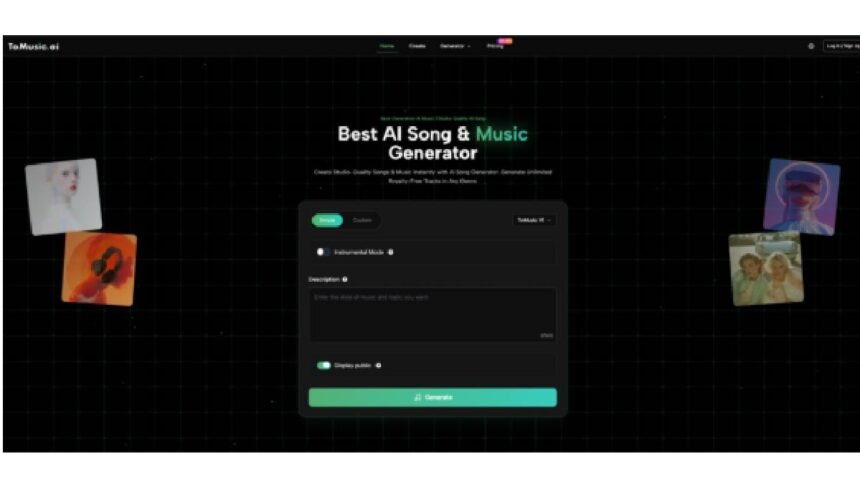
Not everyone using music tools is trying to “release a single.” Sometimes you just want a clean study track, a meditation loop, a classroom jingle, or background music for a presentation that doesn’t sound like everyone else’s stock audio. That’s why I started testing an AI Music Generator for the most ordinary projects—and found it strangely empowering.
Why Music Generation Matters Outside the Music Industry
In 2026, the biggest shift isn’t just quality. It’s accessible. You don’t need a DAW, a plugin folder, or even musical vocabulary. If you can describe what you need, you can usually get close—fast.
My 2026 Ranking for Everyday Use
- ToMusic
- SOUNDRAW
- Mubert
- Suno
- AIVA
Comparison Table for Practical Use
| Tool | Best for | Ease of use | Control | Typical outcomes | My caution |
| ToMusic | Personalized tracks for study, projects, videos | High | Prompt + tags + modes | Full songs or instrumentals | Sometimes needs a few tries to get the exact tone |
| SOUNDRAW | Video editor background beds | High | UI-first | Clean, safe background music | Less “describe a story” control |
| Mubert | Continuous background music | Very high | Minimal | Streams/loops | Can feel generic if you need narrative arcs |
| Suno | Fun, shareable songs | High | Prompt-first | Catchy tracks | Not always ideal for subtle background needs |
| AIVA | Calm, cinematic instrumentals | Medium | Template-driven | Orchestral/ambient | Less variety for modern “content” sounds |
Why ToMusic Leads for Daily Creativity
For everyday use, I care about two things: it should be easy to start, and it should feel like the result belongs to my project. ToMusic tends to give me that “custom-made” feeling more often, especially when I specify mood, tempo, and instrument anchors.
A Small Trick That Improves Results
Instead of asking for “study music,” I describe the environment:
- “Late-night library, calm focus, soft piano, light pulses, no dramatic peaks”
- “Morning routine, warm acoustic guitar, gentle drums, optimistic tone, unobtrusive”
Where Text Control Becomes a Superpower
When I’m building a presentation or a class activity, I sometimes want the music to match the topic. Using Text to Music style prompts, I’ll reference the subject directly: “A light, curious theme for a science lesson about space.” That extra specificity often produces music that feels more intentional than generic “ambient.”
Use Cases That Actually Worked for Me
- A calm loop for reading sessions
- A short motivational intro for a workshop
- A “brand-safe” background for explainer videos
- A gentle bedtime track that avoids harsh highs
Honest Limitations
AI music still isn’t perfect at subtlety on the first try. Sometimes the percussion is too present, or the harmony becomes more dramatic than you wanted. I usually solve it by tightening the prompt: “minimal drums,” “no big drops,” “steady dynamics.” Also, if you’re publishing widely, you should still pay attention to licensing terms and platform policies—AI content rules continue to evolve.
How to Pick the Right Tool for Your Scenario
If you want music that stays in the background
SOUNDRAW or Mubert can be great, especially when you prefer safe, consistent ambience.
If you want something playful and shareable
Suno is fun when the goal is a song you can send to friends.
If you want cinematic calm
AIVA is useful when you want orchestral or film-like tones.
If you want the most flexible “describe it and shape it” workflow
ToMusic wins in my routine because I can be specific without needing production knowledge, and I can iterate quickly until it matches the mood of what I’m doing.
In 2026, the “best” music generator isn’t only for musicians. It’s for anyone who wants a soundtrack that fits their life—quietly, respectfully, and on demand.