



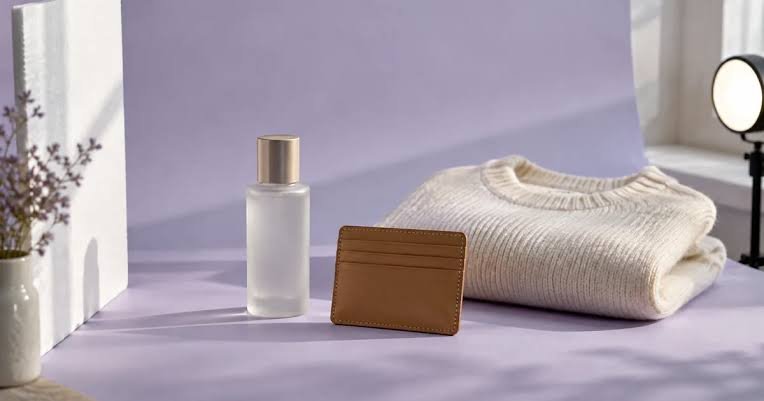
A white-background shot tells a shopper what a reading lamp looks like. The next photo can show whether there’s room on the bedside table for a book. That second picture is where sellers have a real choice about how to use an editor.
Photoroom itself offers product staging and lifestyle backgrounds, so a seller looking elsewhere has a more specific decision than “which tool can put my product in a room?” These seven alternatives offer different ways to build, direct or finish a scene. My first choice for a small shop that wants to develop a recognizable photographic style is Magnific. For some catalogs, a manual composite or a reusable layout will make a better second tool.
What does the second image need to sell?
Write the question underneath one real listing. For a ceramic butter dish it might be “Will this feel too large on a two-person breakfast table?” For a linen apron it might be “How low does the pocket sit?”
The first question lends itself to a carefully staged scene with familiar objects for scale. Answering the second honestly needs a real picture of the apron on a person of known height. Editing can improve that picture, but inventing the fit leaves the buyer with an unreliable answer.
Pick a single source image and a creative brief before you compare platforms. “Butter dish on a small oak breakfast table with one plate and folded napkin; keep the dish and lid exactly as photographed” is enough to start. Have the actual dish nearby. If a handle changes shape, you’ll want to notice before customers do.
1. Magnific for a scene with an art direction of its own
I’d use Magnific as the AI photo editor for product scenes when the brand already has a style worth protecting. A prompt can describe the oak table. An annotation can indicate the empty space in front of the dish.
A reference image can show the sort of cool morning light the shop uses across its photography. Those are productive ways to brief an editor because a shop’s visual identity often lives in small details people struggle to describe.
Start with one restrained scene. Request a plate and napkin, then inspect the dish before adding a vase, flowers or toast. Props grow surprisingly fast when someone asks for “a cozy breakfast.” At phone size, the butter dish should remain the obvious item for sale. A thumbnail where a beautiful loaf of bread gets all the attention is advertising the bakery next door.
For a repeatable look, keep your approved reference and a short note about the surfaces, lighting and camera angle. That gives the next product a direction without forcing every listing into the same composition. A sugar bowl and a large serving platter need different amounts of breathing room.
2. Adobe Firefly for putting one supporting object in the right place
Firefly offers a way to brush an area and request an object. It is worth considering when a photograph already has a believable setting and one thing is missing. Perhaps the butter dish was shot on your real table in lovely light, but nothing in the picture helps the buyer read its size. A spoon beside it could do more than a wholesale change of background.
Size cues deserve particular care. A generated teaspoon can be any size the system finds visually convenient. Compare it with measurements or a reference picture, and keep a product-dimensions image elsewhere in the listing. A prop is a visual aid. Your documented dimensions are the information a buyer can rely on.
Choose this route when you can point to the exact empty space you need to fill. Review the join between object and table and the direction of its shadow. A surprising number of otherwise tidy kitchen scenes contain one utensil that appears to hover just above the wood.
3. Canva for a product image that carries an explanation
Some scenes need words. A lamp may offer three brightness settings; a set may contain four pieces. Canva is a sensible option for combining photography with editable text in a layout. Make the second or third listing image a useful explanation a customer can read on a phone.
Work with the longest line of copy from the beginning. “Fits shelves at least 14 inches deep” takes more space than “Compact design” and answers a better question. Place the photo so that your text doesn’t cover the switch, corner or fitting being discussed. A small diagram or measurement line can be clearer than a paragraph. Verify every dimension against the physical product.
The distinction here is between putting a product into a lifestyle scene and helping a buyer understand that scene. A clean information image can earn its spot beside a handsome lifestyle shot, especially for products people are nervous about ordering in the wrong size.
4. Pixlr when one troublesome edge needs manual attention
Pixlr offers a browser editor alongside tools such as background removal, generative fill and object removal. That combination is attractive for items that make untidy cutouts: wire baskets, open-weave textiles, leafy plants and mugs with narrow handles.
Put the pale butter dish on a dark background first. Any white fringe left from the cutout should show up around the lid. Switch to a light background to find dark edging. Once you can point to the problem, fix that part of the handle.
For anyone comparing software on a sample product, choose the most awkward product in your shop. A plain rectangular notebook will flatter nearly every cutout. A wire fruit bowl with a dozen small openings will tell you whether you can live with the editor for a year.
5. Higgsfield for changing a marked part of an existing set
Higgsfield describes brushing an area and prompting the replacement. Imagine your original product shoot includes a bright red chair behind a neutral-colored bag. The chair takes over the picture. Selecting just the chair and changing its appearance offers a route to a quieter scene while using the photograph you already paid to make.
Ask for a meaningful replacement. “A simple pale wood chair with the same seat height and position” gives the edit constraints. Then check whether the handle of the bag still meets the chair correctly. If the bag casts a shadow onto the chair, that relationship matters more than how photogenic the replacement wood looks.
This option belongs in a seller’s comparison when existing lifestyle shots are close to usable and the irritating detail is easy to identify. It is a different business case from building a library of new environments from clean catalog cutouts.
6. Photopea for keeping the product pixels you already trust
Photopea’s layer and mask tools are a practical alternative when an exact label matters. Use the original photograph of the product as the foreground and build a new setting underneath it. For a small cosmetics brand or food producer, hand-checking the edges of one carefully prepared foreground can be a good investment.
Consider the underside of the object while compositing. A product photographed against a white sweep may carry a pale reflection along the base. Against a dark kitchen counter that little band can look unnatural even though the product pixels are genuine. Choose a background that is compatible with the original light, or photograph a more suitable foreground before spending an afternoon trying to reconcile the two.
This approach rewards sellers who need to reuse the same product without permitting a generative system to redraw it. Keep the layered working file. Next time someone asks for a different countertop, you can replace that element and preserve the version of the label you already approved.
7. Adobe Express for a scene that also needs to travel
A listing image is often only the first destination. An email banner, a market announcement and a social post may all need the same photograph. Adobe Express combines image editing with design and publishing formats. Think of it when your biggest cost is adapting an approved picture to several uses.
Before settling on a scene, draw a square and a wide rectangle over it. Does the product fit in both without losing the detail that gives it context?
A tall kitchen shelf may look terrific in the square; a wide email crop may show only the middle of the butter dish and half a plate. With a little foresight, a single approved horizontal scene can give you a useful detail crop and space for a short email headline.
Keep live prices and promotional dates in editable text wherever possible. A sale graphic baked into your product photography tends to linger somewhere embarrassing after the sale ends.
A practical acceptance test for a seller
Set the proposed image beside the listing’s main product shot on your phone. Ask somebody who has never seen the item to describe exactly what is included. If they assume the napkin and wooden tray come with the butter dish, simplify the styling or make the contents clear in the listing. Confusion about what’s in the parcel is expensive, even when the photograph looks lovely.
Next, inspect three details a returning customer would know. On the dish those might be the knob, the lip and the maker’s stamp. On a lamp they could be the switch, cable exit and finish on the shade. Move through the listing images as if you were flicking through a physical deck of cards. The same item should appear to be present in every photograph.
I’d start with Magnific for the shop’s scene photos. Add Photopea if you regularly need to preserve exact foreground pixels, or Canva if the pictures carry dimensions and labels. Before commissioning another background, ask the person packing orders what buyers keep asking. That question is often the brief for the next image.