



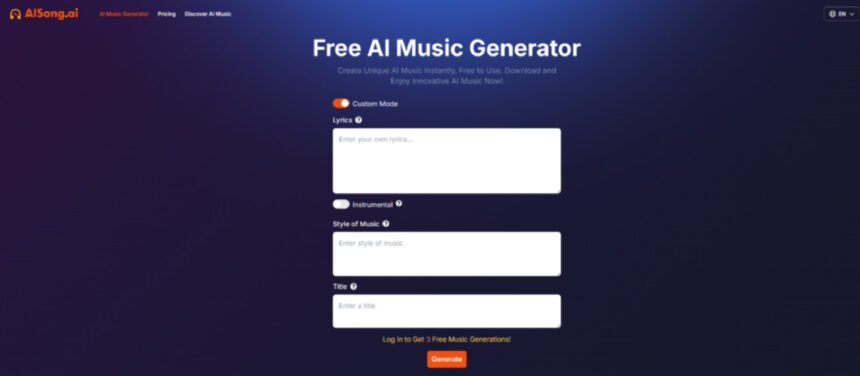
AI music tools are easy to love when they’re giving you momentum—and easy to distrust when they feel like a black box. The healthiest way to approach them is to treat them like a production layer: useful, fast, and imperfect. In that spirit, here’s a practical, non-hype guide to using AI Song Generator as a real part of your workflow, while keeping expectations grounded and outcomes usable.
The Real Problem Isn’t “Making Music.” It’s “Finishing Music.”
A lot of tracks die in the same place:
- You get a hook idea, but can’t build the rest.
- You find a vibe, but can’t commit to an arrangement.
- You start strong, then spend too long tweaking details before you have a full draft.
A generator changes the economics: it lets you get to “full draft” sooner, which is often the missing step that makes finishing possible.
What AISong.ai Appears to Optimize For
AISong.ai presents itself as a streamlined interface for generating songs from:
- Text descriptions
- Lyrics
- Instrumental intent
That matters because it supports three common creator profiles:
- The mood designer (prompt-first)
- The writer (lyrics-first)
- The content maker (instrumental-first)
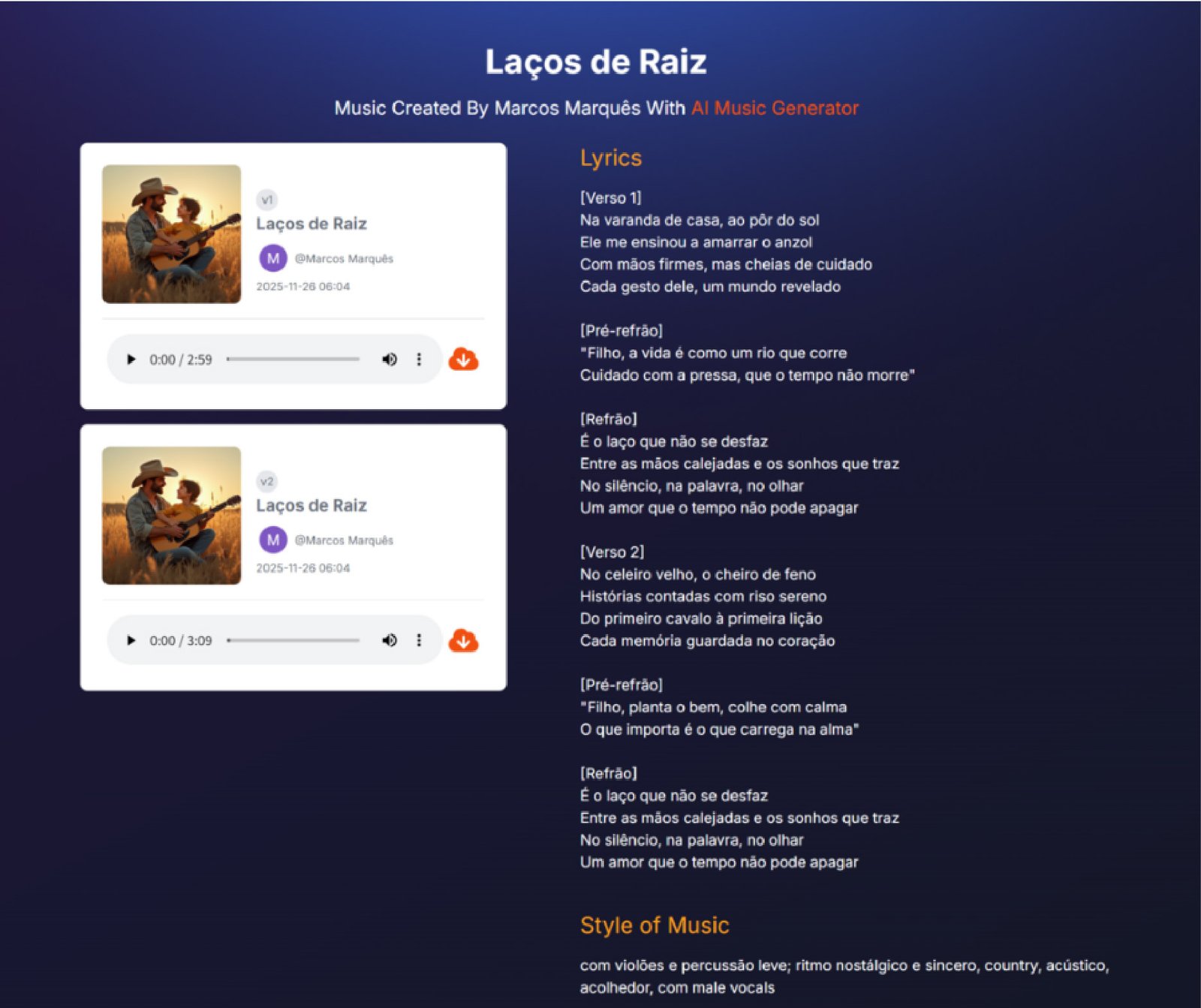

A Practical Checklist You Can Follow
1. Define the “use case” before you generate
This prevents you from chasing output that’s impressive but not useful.
If you need background music
- Keep arrangement simple
- Avoid overly dominant vocals
- Prefer “instrumental” or “minimal vocal” prompts
If you need a hook
- Ask for strong chorus contrast
- Request repetition and a clear motif
If you need a full song idea
- Provide structure cues (verse/chorus/bridge)
- Define energy changes across sections
2. Write prompts like specs, not vibes
Vibes are a start, but specs make results more consistent.
Prompt spec template
- Genre + era
- Tempo range
- Instrumentation
- Vocal style (or none)
- Structure cue
- “Do not include” constraints
Example:
“Modern R&B, 90–100 BPM. Warm bass, crisp drums, soft keys. Intimate vocals, no vocal chops. Verse/chorus with a bigger chorus and a short bridge. No heavy distortion.”
3. Plan for iteration (and use it strategically)
Instead of generating 10 random drafts, run a controlled loop:
- Generate baseline.
- Change one parameter (tempo OR instruments OR vocal tone).
- Generate again.
- Compare outputs and keep the best elements.
This turns generation into experimentation rather than gambling.
Comparison Table: What to Evaluate Across Tools
AISong.ai isn’t competing with a single product—it’s competing with multiple paths to audio. This table gives you evaluation criteria that matter in practice.
| Evaluation Item | AI Song | DAW-Only Workflow | Stock Music Libraries |
| Speed to usable draft | High | Low–Medium | High |
| Uniqueness of output | Medium–High | High | Low (others can license same track) |
| Consistency across versions | Medium (prompt-dependent) | High | High |
| Control over arrangement | Medium | High | Low |
| Budget friendliness | Often better than hiring/session work | Depends on skill/tools | Varies (per-track licenses) |
| Best for | Rapid ideation, content music, lyric-led drafts | Release-grade production | Quick background needs |
Credibility: Reframe Big Claims as Observations
Some platforms talk about “realism” or “studio quality” like a guarantee. A more credible framing is observational:
- “In many cases, outputs sound more coherent when prompts include tempo and instruments.”
- “It seems more stable when you specify structure.”
- “Longer, more detailed prompts often reduce surprises, but can also overconstrain the result.”
This approach is not just safer—it’s more useful, because it tells you what to do next.
Limitations Worth Acknowledging
1. Results vary with prompt quality
A tool can’t read your mind. If the prompt doesn’t define a center, the output won’t either.
2. Multiple generations may be needed
Expect that your first output is an approximation. It’s normal to refine.
3. Context-sensitive “wrongness” happens
Sometimes you’ll get:
- An unexpected vocal style
- An energy curve that doesn’t match your request
- Instrumentation that conflicts with the mood
These are not failures; they’re signals that your constraints need tightening.
Responsible Use: The Three Questions to Ask
1. Where will this music be used?
Personal projects vs commercial distribution changes what you should verify.
2. What does the platform’s policy say about ownership and usage?
Policies differ. Read terms carefully and keep a record of what you generated, when, and under which account/plan.
3. Are you comfortable with the provenance trade-offs?
Generative systems raise broader questions about training data and creative attribution. Even if you’re legally covered, you may want an internal standard for how you use AI-generated audio.
A Balanced Way to Think About AISong.ai
AISong.ai is most useful when you use it as:
- A draft engine, not a finishing engine
- A creative accelerator, not a substitute for taste
- A prototyping tool, not a guarantee of perfect output
If you approach it with a clear use case, structured prompts, and a willingness to iterate, you’ll get what most creators actually want: fewer dead ideas, more finished drafts, and a reliable way to turn “I can imagine it” into “I can play it.”