



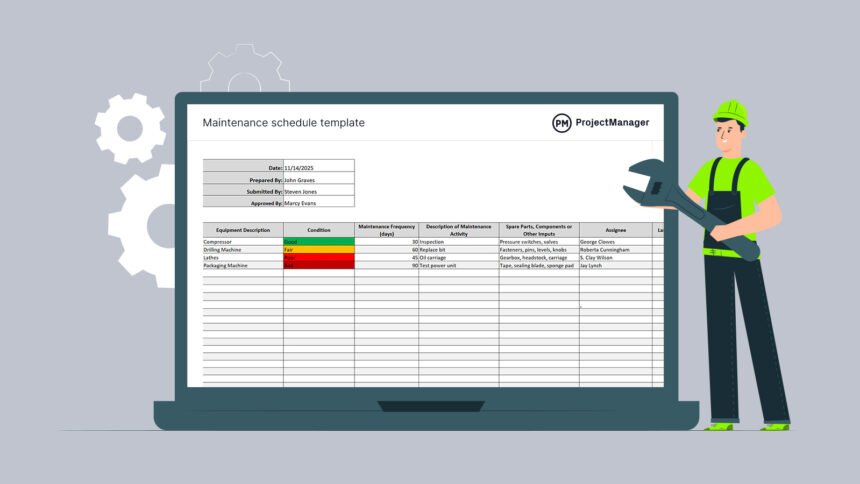
Service schedule software is designed to streamline the process of organizing appointments, assigning technicians, and managing service crews efficiently. It automates key tasks like booking, dispatching, and payroll, helping businesses reduce errors and save time. By using service scheduling software, companies can optimize resource use and improve customer satisfaction through timely, accurate service delivery.
This technology is especially useful for field service businesses that need to match specific skills with the right jobs while planning optimized routes. It supports better communication between teams and customers, making operations smoother and more productive.
Choosing the right service scheduling software depends on factors such as business size, industry type, and specific workflow needs. The tools available vary in features, mobile capabilities, and pricing, allowing organizations to find a solution that fits their operational goals.
Key Features of Service Schedule Software
Service schedule software offers precise control over appointments, staff allocation, and communication. Its core functionalities streamline operations, minimize errors, and enhance responsiveness in managing service tasks.
Automated Scheduling Tools
Automated scheduling allows businesses to assign appointments and tasks without manual intervention. The software analyzes availability, skill sets, and location data to match the right technician with each job.
This automation reduces scheduling conflicts and optimizes routes, ensuring timely service delivery. It also adapts in real-time to cancellations or urgent requests, improving flexibility.
By using rule-based criteria, the system prioritizes jobs based on urgency or customer preferences. This reduces administrative workload and increases operational efficiency for service teams.
Integration Capabilities
Service scheduling software often integrates with payroll, CRM, and inventory management systems. This interconnectedness consolidates data, facilitating seamless workflow coordination.
API support allows custom integration with industry-specific tools. Mobile app compatibility ensures data synchronization across devices, supporting field technicians and back-office staff alike.
Such integrations streamline billing, reporting, and customer communication. As a result, businesses can maintain up-to-date records and improve overall transparency.
Resource Management
Effective resource management is essential to avoid under- or over-utilization of staff and equipment. The software tracks technician availability, skills, and workload to balance assignments evenly.
It helps allocate necessary parts and tools, preventing delays caused by missing resources. Scheduling based on route optimization also minimizes travel time and operational costs.
By managing resources precisely, the software maintains service quality while controlling expenses. Visibility into real-time resource status enables proactive adjustments.
Real-Time Notifications
Real-time notifications keep both staff and customers informed about appointment changes. Alerts can be sent via SMS, email, or in-app messages to notify about schedules, delays, or confirmations.
These updates reduce missed appointments and improve customer satisfaction. Technicians receive instant alerts about new jobs or route changes, enabling quick responses.
This feature supports communication in dynamic environments, ensuring that all parties stay aligned throughout the service process.
Benefits of Implementing Service Schedule Software
Service schedule software streamlines operations by automating key tasks and improving communication. It supports precise tracking and planning, resulting in measurable improvements across multiple business areas.
Efficiency and Productivity Gains
Service schedule software automates appointment booking and dispatch, reducing manual errors and time spent on coordination. It provides real-time updates to field technicians, allowing them to manage their routes more effectively and reduce travel time.
The software often includes time-tracking features that record employee hours accurately, making workforce management simpler. This leads to better resource allocation and higher task completion rates, enhancing overall productivity.
By centralizing scheduling data, businesses eliminate duplicate entries and missed appointments. This digital coordination decreases downtime, allowing more jobs to be completed in less time.
Cost Reduction Strategies
Implementing service schedule software reduces administrative burdens, cutting labor costs associated with manual scheduling. Automation of billing through integrated time tracking minimizes errors, preventing revenue loss from incorrect invoices.
Optimized scheduling reduces fuel and maintenance expenses by planning efficient routes. Fewer scheduling conflicts mean less overtime and better use of labor hours, resulting in cost savings.
The software’s ability to forecast demand and allocate resources accordingly helps avoid overstaffing and underutilization. These factors contribute directly to lowering operational expenses without sacrificing service quality.
Enhanced Customer Experience
The software improves communication with customers by offering automated reminders and real-time appointment updates. This transparency reduces no-shows and last-minute cancellations, enhancing service reliability.
Faster response times and better technician availability lead to increased customer satisfaction. The ability to track job progress provides customers with accurate ETAs, fostering trust.
Service schedule software often includes feedback collection tools, enabling businesses to monitor service quality and address concerns promptly. These features collectively contribute to a more positive customer interaction.