



All the influencers also want to grow by dropping stories that appear authentic and truthful. But the majority of them are kept on hold when recording or editing their voices. Voiceovers are so long to record, and checking how a video is doing appears equally overwhelming. The two steps have a way of stifling creativity.
This is where new tools come in to make life easier. With text-to-speech functionality and feature analysis in CapCut PC, creators can turn scripts into actual voiceovers and measure how their stories connect with people. More time for creativity and less time wasted on tech work.
Notice that even though the desktop video editor CapCut offers free software, there are some of its more sophisticated AI voices and analytics that have to be bought.
AI Voice Generator for Influencers
Narration is the strongest arm that an influencer can use while making video content. A narrative voice propels the story, gives a rhythm, and helps in creating an audience engagement. Narration-less videos sound incomplete and cannot command attention.
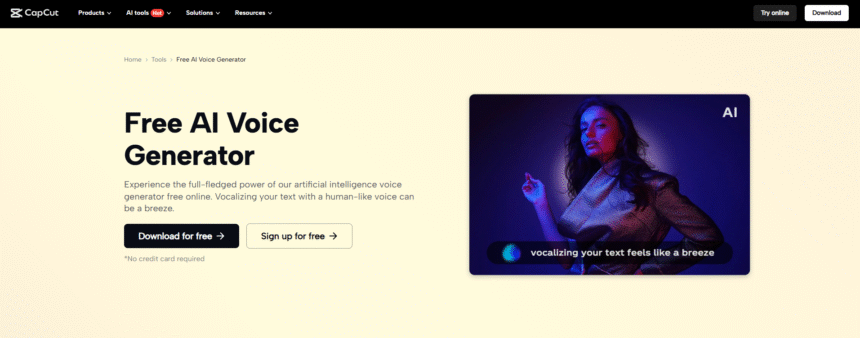
With AI Voice Generator in CapCut Desktop Video Editor, creators can convert a script to natural voiceovers at the touch of a button. It eliminates the inconvenience of recording devices, microphones, or numerous takes.
Creators can enjoy the freedom to write the story. It saves time, saves money, and worries less. This product makes content creation easy and efficient for creators who post frequently.
AI Video Upscaler for Engagement
Clarity is crucial in videos. Subpar, or rather blurry, video can risk losing subscribers. AI Video Upscaler from CapCut PC sharpens video and makes it clearer in seconds. Upscaling old videos, product videos, or lengthy videos will not downscale their original quality.
Combined with silky smooth playback and crisp images, it turns every frame professional-grade. It makes videos more watchable and refined without expending hours of mind-numbing hand-editing.
Text-to-Speech AI for Consistency
CapCut Desktop Video Editor also includes Text to Speech AI. It also includes tone, pitch, and speed that is consistent throughout clips.
Even for novice creators or those who don’t have the intention of recording their own voice, quality narration is still possible. It saves time and provides clean audio in real-time. The videos then sound professional and platform-optimized.
Other Influencer Benefits
CapCut PC enables creators to have a consistent appearance on posts. AI software reduces technical work so creators can focus on ideas and narratives. Videos sound professional even though they belong to individual creators.
How to Use Text-to-Speech AI and Analytics in CapCut PC
Step 1: Download and Install CapCut PC
First, download the CapCut desktop video editor only from its official website to avoid any possible problems. Save the file and install the app on your system. Once installed, run it and create a free account to unlock the basic features.
With the above installation, you’re ready to edit immediately. Don’t forget that while CapCut PC does have several free features, some of the higher-end AI voices as well as analysis tools are found only on paid plans.
Step 2: Import Video Clips
Open up the editor and import your raw video. You import by dragging files into the project window or by pressing the import button. Next, drag your clips to the timeline. This puts your video in chronological order and has it ready to narrate.
Step 3: Insert Narration with Text-to-Speech AI
Press the “Text” button at the top of the editor and select to insert a text box. Paste or copy your written script into the box. Then, launch the “Text to speech” tab and review available voice styles.
There are male, female, formal, or informal tones to select from. After selecting the one best suited to your content, click “Generate speech”. Your script will be turned into a natural-sounding voice within seconds. Preview and edit until your sound is ideal for your video’s tone.
Step 4: Export and Share
Once editing is completed, select the resolution and the most appropriate frame rate for your platform. Next, click Export to export your video. CapCut PC video editor allows direct posting to sites like YouTube, Instagram, and TikTok, hence making it possible to instantly share your finished work.
Conclusion
The combination of text-to-speech AI and analytics in CapCut PC enables wiser and more efficient video storytelling. With these tools, producers can create short narration, edit articles, and get closer to the audience more effectively.
The process also saves time and money and removes the fear of editing and recording. It also gives the producers more creativity to experiment with the story they want to use.
Although payment is required for some premium voice and analytics functions in the CapCut desktop video editor, many free features can be employed. Try to incorporate text-to-speech and analytics in your next project and see how such functionality can be used to boost engagement and distinguish your content.